
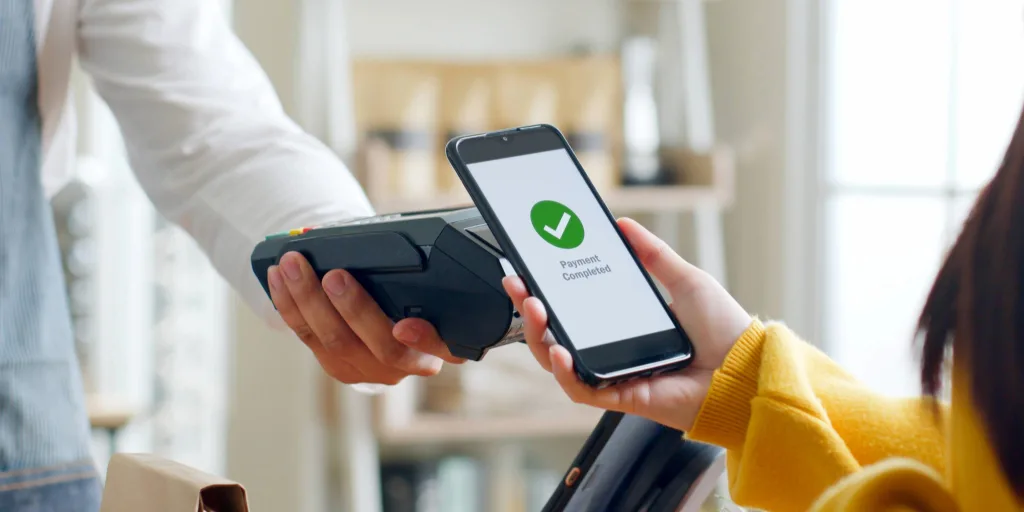
Digital wallets make it easy to pay in stores and online without handing over your physical card. It’s convenient, fast and widely accepted—and in many cases, it can be as safe as or safer than carrying a physical card. Still, your security depends on how your phone and accounts are set up. Keep reading for a quick breakdown of how mobile payments work—plus six practical tips to help you use them securely.
What Is a Mobile Wallet?
A mobile wallet is an app on your smartphone or smartwatch that lets you store and use payment methods digitally. Just as you can keep multiple physical credit or debit cards, you can fill your virtual wallet with everything from credit and debit cards to gift cards and event tickets. Some of today's most prominent services for storing card information include Apple Pay®, Samsung Pay® and Google Pay®.
For some, using a mobile wallet may come with an adjustment period, but the software can simplify your life by consolidating your financial information inside your handy, password-protected phone.
How Mobile Wallet Payments Work
When you add your card to a mobile wallet, the wallet typically uses tokenization to replace sensitive card details with a unique digital token. When you pay, the token is used to process the purchase, which helps protect your account information because merchants generally don’t receive your actual card number.
Storing your cards digitally often makes checkout faster for online purchases, since many sites let you select your wallet at checkout instead of typing in your card details. In stores, you can tap your phone against any compatible terminal for contactless payments, while your physical cards stay safely in your wallet or, better yet, at home.
Tap‑to‑pay works by letting your phone communicate with the payment terminal. When you tap your phone, it sends information securely to the terminal, just like using a physical card, without having to swipe or insert anything.
How to Secure Your Mobile Wallet
Mobile wallets can be very secure when you set them up with the right protections. Here are six simple ways to help you keep your information safe.
Use a strong password and passcode
Mobile wallet security starts with the passwords you set on your phone. Make sure it’s unique and secure your phone with biometrics such as a face scan or fingerprint.Enable multifactor authentication
Your information is safer when you guard it behind multiple identification factors. With multifactor authentication enabled, you will receive a code by text, email, phone call or authenticator app to confirm your identity after submitting the correct password.Keep track of spending
Unauthorized purchases can add up quickly, and you might not notice right away without checking your transactions.
To make it even easier, turn on real-time purchase alerts through card management. If you notice anything suspicious, you can use card controls to quickly lock your card.Be mindful of scams
Fraudsters often use phishing scams—emails, texts or social media messages that look legitimate—to try to get you to click a link, download an attachment or share personal information. Avoid clicking unexpected links or downloading files from unsolicited messages. If you need to verify something, go directly to the company’s official website or contact them using a verified phone number.
In some cases, scammers won’t ask for your full card number—they may ask for your card’s CVV and expiration date so they can add your card to their own mobile wallet and make unauthorized purchases. Never share your CVV or expiration date, especially in response to unexpected messages or calls.
Be just as cautious with one-time passcodes (verification codes) sent by text. If you receive one, read the entire message before sharing any information over the phone or entering the code online. If it says “Do not share this code,” don’t give it to anyone—even if they claim to be from your financial institution. Scammers use these codes to add or transfer your card to another mobile device.
If fraud occurs and you receive a replacement card, ask your financial institution to remove any mobile wallet token linked to the old card, since tokens are tied to the device/user—not the physical card.Connect to a trusted network for purchases
Cybercriminals could be lurking behind public or unfamiliar Wi-Fi networks. Only make online purchases from your mobile wallet when connected to a network you trust.Install a VPN
A virtual private network (VPN) can help encrypt your internet connection and add privacy—especially on public Wi-Fi. While a VPN doesn’t eliminate all tracking or risk, it can be a helpful extra layer of protection when you’re browsing or shopping online away from home.
Set Up a Secure Account
A mobile wallet can be one of the safest ways to pay—when you pair it with smart habits like strong passwords, multifactor authentication and real-time alerts. At Members 1st, we offer secure products and tools that help you stay in control every time you tap. Our credit and debit cards are easy to add to your preferred mobile wallet and manage through our mobile banking platform. Need help getting started? Stop by a nearby branch or contact us to learn more.